BetterMouse is a macOS utility app that gives you smooth mouse scrolling, cursor speed control, and powerful mouse/keyboard bindings. You can use it to open a Kando menu via a mouse button.
BetterMouse (macOS)

Configuration
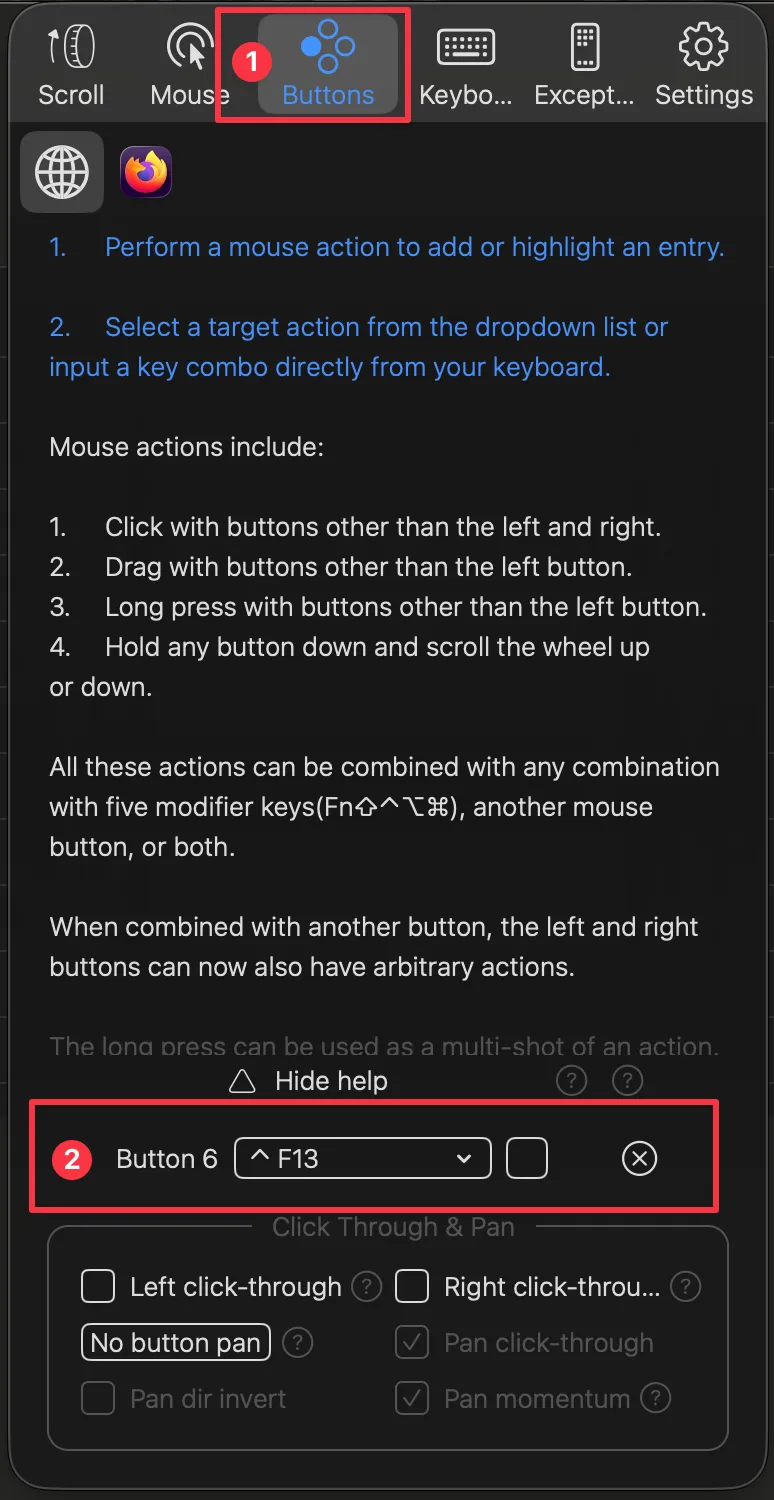
Section titled “Configuration”- In BetterMouse navigate to the ‘Buttons’ section.
- Create a Trigger with the mouse button you want to use.
- Add the keyboard shortcut you want to send with this mouse button.
- The example sends the keyboard shortcut Ctrl+F13 when pressing the mouse button 6.
- Adjust the example to your own needs (if necessary).