
This action inhibits Kando’s keyboard shortcuts. This means, any keyboard shortcuts defined in Kando will be disabled for the remainder of the workflow run.
Inhibit Shortcuts
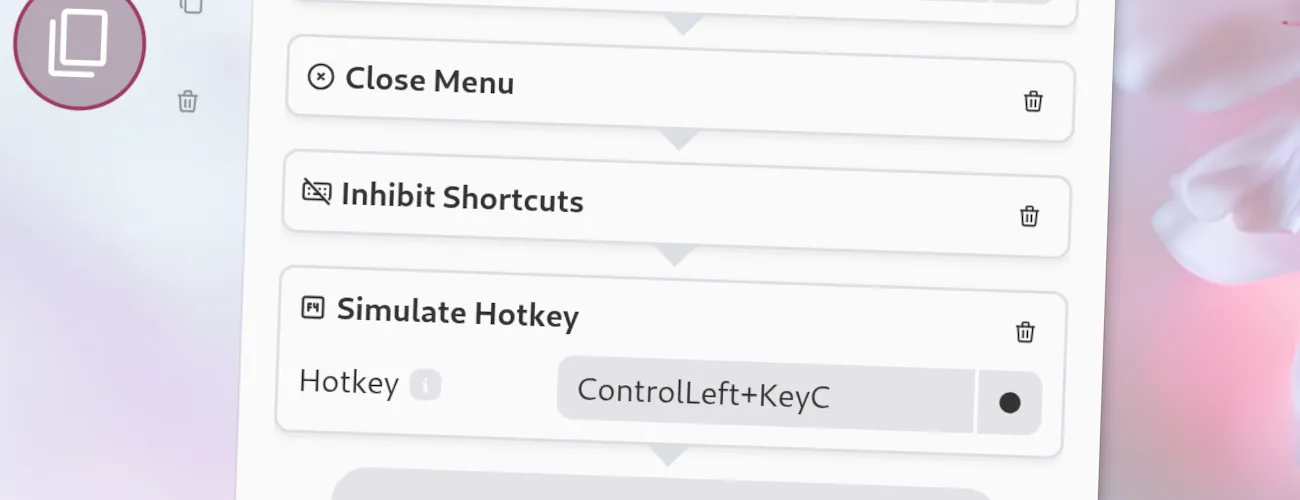
If, for example, you have bound the global shortcut Ctrl+C to open a menu, you will not be able to copy selected text by simulating Ctrl+C with a Simulate-Shortcut action, as this would just open the menu again. By placing the Inhibit-Shortcuts action before the Simulate-Shortcut action, you can ensure that the simulated shortcut will actually copy the selected text instead of opening the menu again.
Options
Section titled “ Options”This action has no options.
JSON Configuration
Section titled “ JSON Configuration”If you edit your menus.json file by hand or use the IPC interface, you can create this action with something like the following.
..."selectWorkflow": { "actions": [ ... { "type": "inhibit-shortcuts" } ... ]}...