
LinguaX is a macOS menu-bar app which combines automatic input-source switching with mouse-button remapping. You can use it to open a Kando menu via a mouse button.
LinguaX (macOS)

Configuration
Section titled “Configuration”- Open LinguaX from the menu bar and switch to the ‘Mouse’ tab.
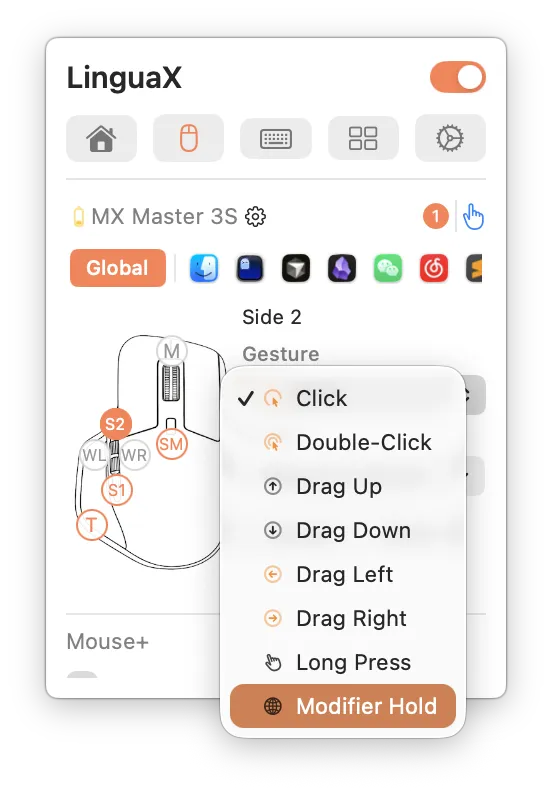
- Select your mouse and click the button you want to use (for example a side button).
- Choose the ‘Click’ gesture for this button.
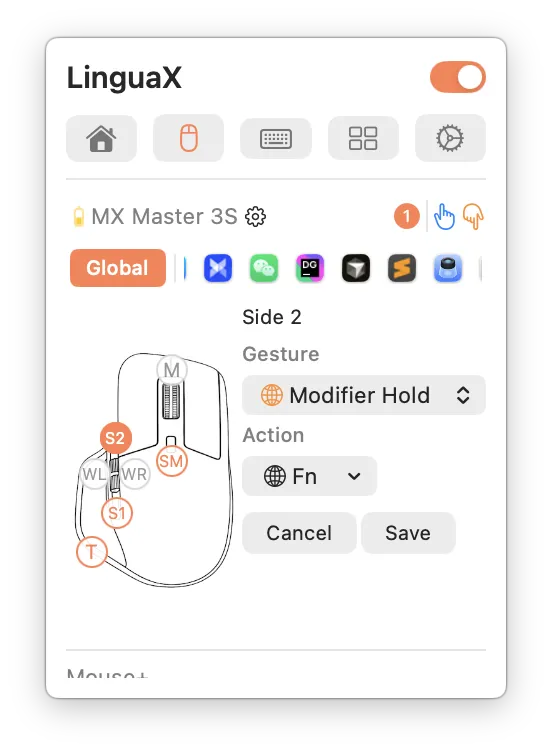
- Set the ‘Action’ to ‘Keyboard Shortcut’ and record the hotkey which opens your Kando menu.
- For example, you can send Ctrl+F13 when pressing the mouse button.
- Save the mapping and adjust it to your own needs (if necessary).
| Selecting the Click gesture for a mouse button | Choosing the action for a mouse button |
|---|---|
 |
 |