
An URI item can not only be used to open a website but also to open any URI that your operating system can handle. This includes opening files, directories, or even other applications.
Open URI
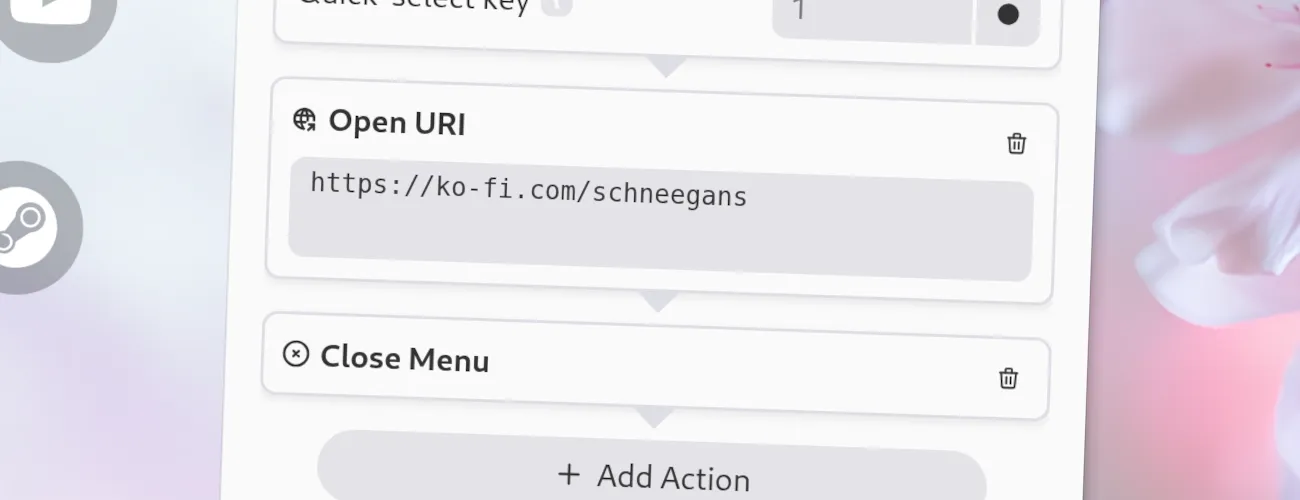
Options
Section titled “ Options”This action has the following options.
- URI: The URI to open. This can be a website, a file, a directory, or any other URI that your operating system can handle.
Example URIs
Section titled “ Example URIs”Here are some examples of URIs that you can use with the Open-URI item:
- http://example.com - Opens the website
example.comin your default browser. - file:///path/to/file.txt - Opens the file
file.txtin your default text editor. - mailto:foo@bar.com - Opens your default email client to send an email.
Placeholders
Section titled “ Placeholders”You can use placeholders in the URI which will be replaced by some actual values when the URI is opened. This allows for some very advanced use-cases! Below are the available placeholders:
{{app_name}}: The name of the application which was focused when the menu was opened.{{window_name}}: The title of the window which was focused when the menu was opened.{{pointer_x}}: The x-coordinate of the mouse pointer when the menu was opened.{{pointer_y}}: The y-coordinate of the mouse pointer when the menu was opened.
JSON Configuration
Section titled “ JSON Configuration”If you edit your menus.json file by hand or use the IPC interface, you can create this action with something like the following.
..."selectWorkflow": { "actions": [ ... { "type": "open-uri", "uri": "https://ko-fi.com/schneegans" } ... ]}...